
By Jeff Randolph | Published on February 24, 2014
A Great Website Begins with the Customer, Not the Company
Websites used to be built with two main guiding principles: What the company thought was awesome about themselves and what they thought customers wanted to see. But there’s a new sheriff in town called user-centered design, or User Experience (UX). The goal? Bringing the concept of customer service into the digital sphere, giving your online visitors everything they want and need – and what they didn’t even think to ask for.
What is User Experience?
Think of your experience at a new eatery: if you couldn’t find the restaurant, had to wait in line forever, sat at a dirty table and endured a rude server, it probably wouldn’t matter how great your steak was, would it? You had a bad experience, and it would affect whether or not you go back a second time.
UX is your online customer service, and making sure your customer’s experience is a great one. It’s taking the time to get to the heart of what they’re looking for – and what they didn’t even know they wanted. It’s about providing a pleasant, convenient and efficient online experience that will hopefully turn that casual browser into a loyal customer.
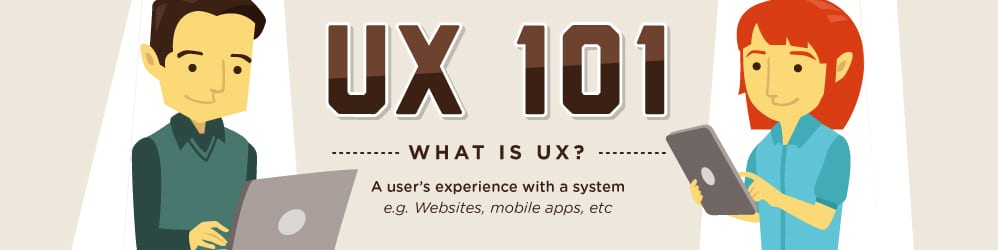
Click to view full infographic.
I’m Confident In My Brand. So Why Should I Care About UX?
Let’s face it, a website can be a significant investment. People spend tens or even hundreds of thousands of dollars designing them, optimizing their pages and products, and creating great content for them. However, 68% of users leave a website because of poorly designed UX, which puts a big dent in your ROI. Knowing what your company is all about and identifying your target customer is only half the battle. Taking the time to make sure you are properly organizing your site and the flow of information will better engage your customers and ultimately increase your conversion rate. Plus, spending a few extra minutes and a few extra research dollars up front can save you costly programming and design adjustments down the road.
→ Are YOU are a UX statistic?
Where to Start: 5 Essentials of User Experience
UX begins before you even think about what color your header should be. Combined with a well thought out brand identity (which should always be the basis of any marketing effort), the following are main elements in UX design:
1. TARGET AUDIENCE
This may seem like a given, but it guides the answers to all other questions in the development of your site. Beyond just simple demographics, ask yourself: Who is my online customer? What do they like or dislike? How tech savvy are they? Do they have any limitations (like poor eyesight if you have an elderly clientele)? What elements would make a company reputable, relevant and current in their eyes?
2. INFORMATION ARCHITECTURE
Organize the information on your site with hierarchy and flow in mind. Figure out what your customer is looking for, then don’t make them hunt for it. If a majority of your sales and your site traffic is in search of widgets, then that should be the first thing they see. Incorporate these elements into the navigation, then don’t forget to offer more at every turn. If they want information on widgets, they may also want to know about shipping.
3. INTERACTION DESIGN
Your information should utilize a friendly interface for your customer. Think about the end goal: what do you want your customer to accomplish before they exit your site? What will they want to accomplish? Remove as much friction as possible between their entry point to your site and those goals. If you incorporate a clear and integrated navigational structure, the user should never be more than a few clicks away from any important piece of your site. Use buttons, tabs, call outs, etc. Just make sure to leave those pop-ups on the cutting room floor!
4. VISUAL DESIGN
It’s not an accident we’ve placed this as #4 in this list. Creating the visual design before considering the steps above won’t be doing that pretty design justice. How can you properly put together an entire puzzle before you have all the pieces? Great design starts with understanding who you are appealing to and what the focus is. For example, designing for a young, artsy photography studio is going to yield very different results than a long-established retirement community. Incorporate design elements, trends and color palettes that are not only in line with your brand, but that also appeal to your target audience.
5. USABILITY
All of the above elements should work together in harmony, but don’t forget that they actually need to work! You can have all the eloquent content and organized navigation you want, but if your site takes too long to load or your customer can’t properly read or access the information, it’s all moot. If your site will be accessed via mobile or tablet devices (which it probably will be), make sure it’s nice and clear with a responsive design. Have a large photo gallery or portfolio? Don’t forget to reduce the file size so users don’t get frustrated waiting for a single image to appear. If your average user isn’t a seasoned computer vet, scale back on the bells and whistles – and make sure you up that font size just a bit.
UX, UI and Other Terms You’ll Hear
- User experience (UX): what people feel and run into as they find and use your product, service or website.
- User interface (UI): how information is presented. That means screens, but also printed pieces, signs and phone menus.
- Information architecture (IA): how information is grouped and ordered so people find what they need.
- Interaction design (IxD): how people use the controls to get things done.
- Experience design (XD): every touchpoint across the customer journey, including the ones outside your website.
- User-centered design (UCD): designing around what users need, want and can’t do, from the start.
In a meeting full of acronyms, describe what you mean in plain words. It saves time.
Design for Goals, Not Tasks
It’s easy to focus on making individual tasks faster. Bigger gains come from designing around what the person is trying to accomplish. Take a nonprofit that wants more individual donations. It could speed up how it processes mailed checks. But a donor’s goal is to support a cause they care about, and today that might start with an email, a social post or a friend’s birthday fundraiser and end with an online form. Designing around that goal opens up options a task-by-task fix would miss.
The same thinking helps when you ask leadership to invest in UX. Talk about the business result, such as more revenue, lower costs or fewer support calls, not the design method.
Test Before You Build
User research shows how people actually use your site or product and where they get stuck. Finding a problem before development costs far less than changing a design midway or fixing a product after launch. Good research checks that a design does three things: supports the business, can be built, and helps the user finish what they came to do.
Clickable prototypes help. Executives, customers and users can react to an idea before you invest in building it.
An outside researcher adds two advantages. Designers can’t test their own work without bias, and your team keeps working while testing happens. Watching sessions together also gets designers and product owners solving problems side by side.
Three Usability Problems We See Most
- Inconsistent styling and interactions. Use one set of patterns throughout. A style guide covering colors, fonts, form fields, buttons and key interactions speeds up design and development and keeps the experience predictable.
- Weak visual cues. Helper text, progress steps and clear toggles show people where they are and what happens next.
- Limited accessibility. Sites and software should work for everyone, including people who use screen readers. Accessibility affects both the design and the code.
The same principles apply beyond screens. In phone menus and voice systems, keep the options few, use the same commands throughout (always “yes,” not “correct” one time and “yes” the next), tell callers early how to get back to the main menu, and use your customers’ words instead of internal jargon.
Great Customer Service Puts The Customer First
At its core, UX is simple: put the customer first. This basic concept results in a clean, relevant and efficient website which ultimately will increase visitor’s time on your site, conversion rates, search rankings, and cultivate a positive view of your company, brand and services. You should still include those things you think are awesome, just make sure your customer thinks so too.
Customer service isn’t dead… it really matters:
Put Some UX In Your Next Redesign
If you’re thinking about a website redesign, or launching that great new site you’ve always dreamed of, start with a little UX. Still not sure how to make it happen? Let us help. EAG’s UX research, usability testing and heuristic evaluations come from Useagility, the customer-insights firm EAG acquired in October 2023. We use engaging video, responsive design, user experience best-practices and proven SEO planning to make your site work. Drop us a line.